Scriptorator Settings
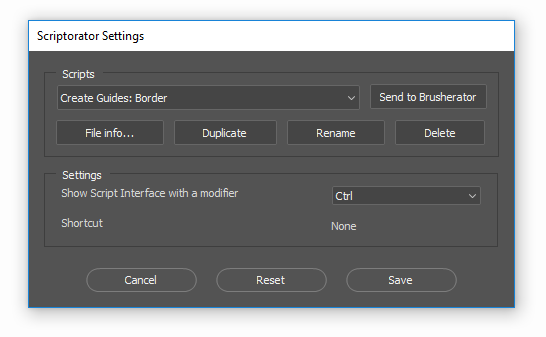
Scriptorator Settings is a special script added in 1.1, used specially for changing settings and managing scripts.
You can access it in several ways:
through
File > Scripts > ! Scriptorator SettingsPhotoshop menu item;through
Edit > SearchPhotoshop menu item, typing!and selecting! Scriptorator Settings;if you have Brusherator installed, flyout menu includes
Scriptorator Settingsitem;
Managing scripts
The first row of buttons:
Select a script you want to modify from the list;
Send to Brusherator: if Brusherator is installed, a current script will be added to an active shelf of any Brusherator;
The second row allows you to manage script file:
File Info...will show a window with options to copy file path to clipboard and open Scripts folder in file explorer;Duplicatewill make a copy of a current script with a new name. Use this to create several instances of scripts with different settings;Renamewill rename a current script;Deletewill remove a current script;
Last 3 options may be greyed out if Photoshop doesn’t have access to its Presets/Scripts folder. To give PS access:
- on Mac:
make sure
Applications/Adobe Photoshop CC XXXX/Presets/Scriptsfolder isn’t set toRead Only;
- on Windows:
retake ownership of the folder (https://superuser.com/a/1141616/971910);
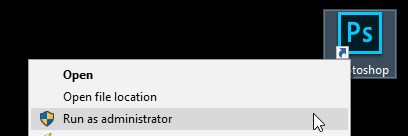
OR simply restart PS as Administrator: